TAL – A New Step in Crystallography (and Faster Than Cooking Stuffed Cabbage!)
When Tolkien wanted to introduce his new language to the world, he wrote The Hobbit and The Lord of the Rings. I had a slightly more modest starting point – the program was written in a week, in between cooking stuffed cabbage (gołąbki) and my regular work. That is how TAL was born.
Where does the name come from? Well, quite perversely: Thallium (TAL) comes right after Mercury in the periodic table (Hg -> Tl)!
Mercury has over 20 years of development behind it, so please look at TAL with a bit of understanding – this is still a beta version, which means not everything has been tested as thoroughly as it should be. Nevertheless, the program already offers most of Mercury’s basic functions, and in many ways, it can do quite a bit more (caverns and overlay).
The program is fresh, raw, and waiting for your feedback. If you notice anything, encounter a bug, or have an idea for improvement – feel free to drop me a message!
- 📦 Download TAL v.3.x beta (TAL_Setup.exe installer): Download here
- 📄 More about the algorithm: Cavity Detector in CIF | Daniel M. Kamiński
- TAL is now available in Microsoft Store here!
What’s New in TAL? (A Few Jabs at the Competition)
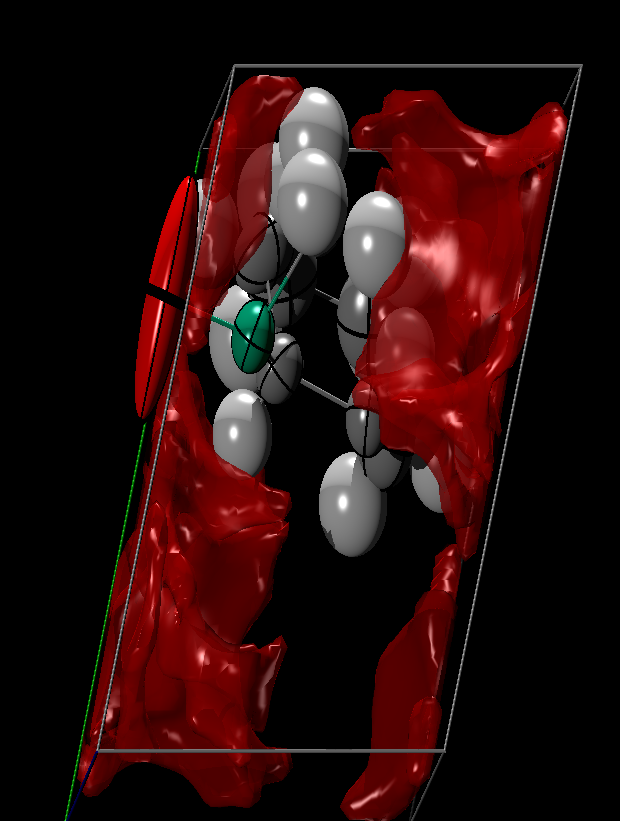
New version supports POVRAY generator (simple and elegant)
- Overlaying molecules from different crystals (Killer feature): In Mercury, this feature is often paid or overly complicated. Since I use it often myself, I wrote it my way – exactly how it should work. It’s dead simple: select any 3 atoms from one structure, click the „Add molecule” button, do the same for any other structure (or the same one, if you prefer), and you’re done!
- Modern technology under the hood: TAL was built using .NET 8 (C#) and MonoGame, supported by an absolutely fantastic window manager modeled after Visual Studio 2022 – weifenluo WinForms Docking. This solution literally „buries” Mercury’s older architecture. The interface is extremely flexible and a joy to work with.
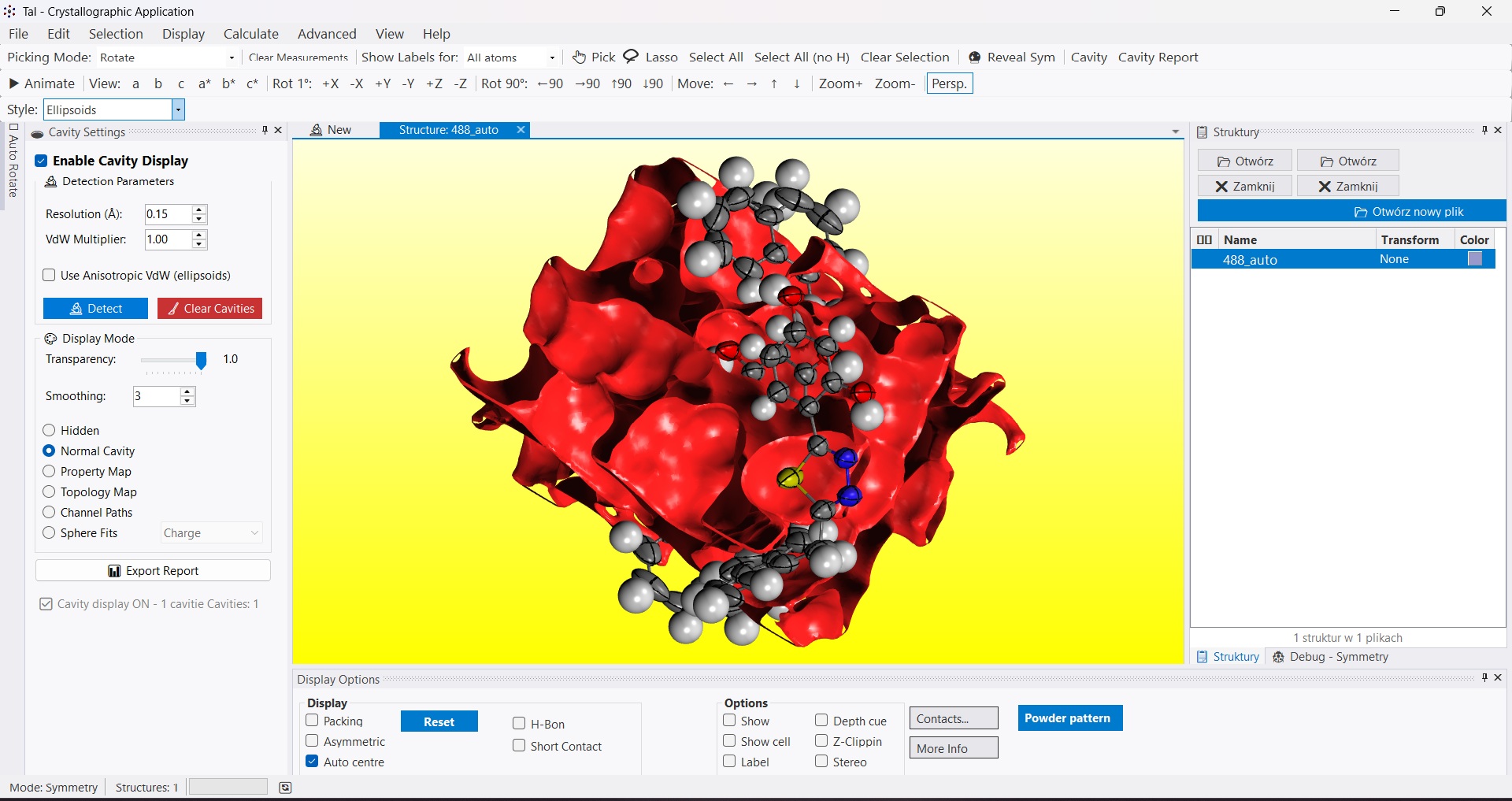
The Main Event: The Cavity Module
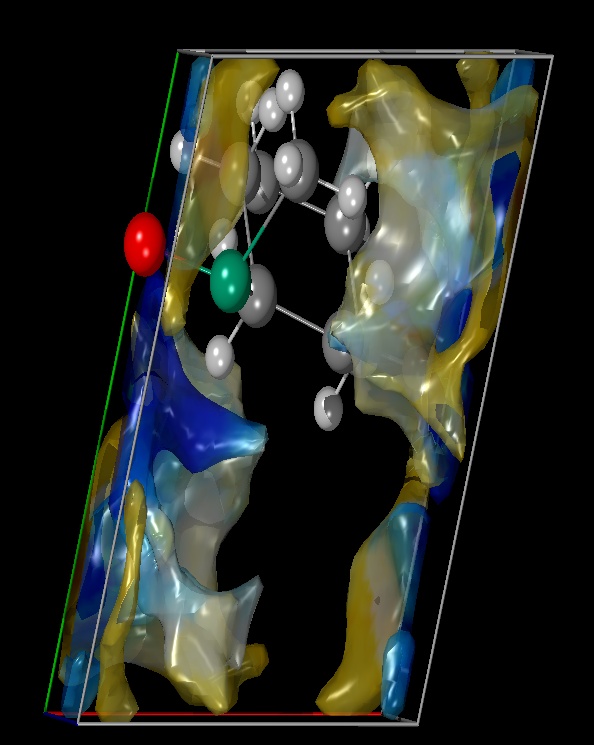
Although TAL was supposed to be just a pretty wrapper, its beating heart is my proprietary free-space calculation function (Cavity).
Traditional approaches (like spherical voids in older programs) often fail when dealing with irregular, elongated pores or channels. Cavity in TAL calculates free spaces in crystals with incredible precision – it is currently the best available method on the market.
I’ve described the technical details of how this algorithm works in a separate paper: Cavity Detector in CIF. You can also take a look at the CIF project.
Download and Test
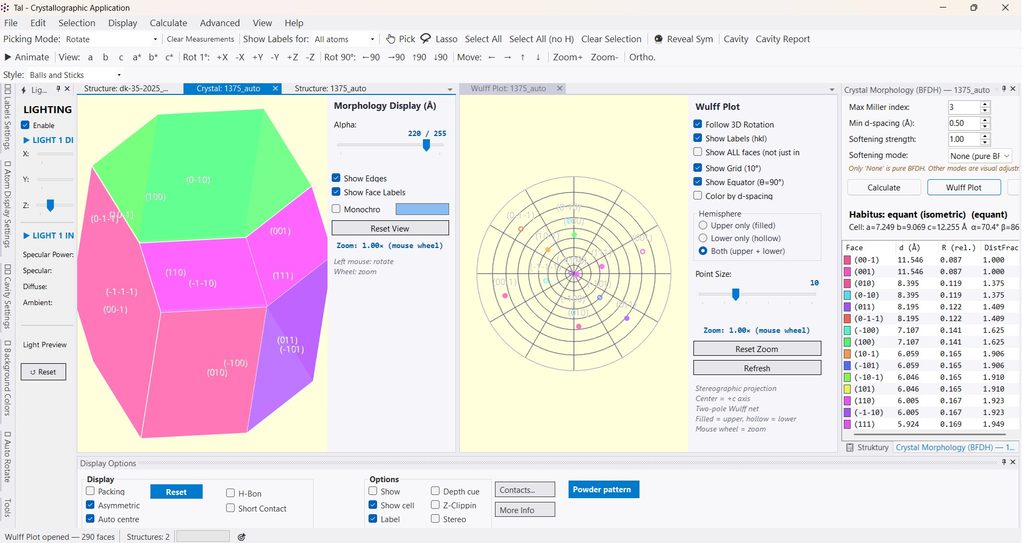
BFDH morphology generator, like in Mercury, but TAL also provides stereographic projection with rotation and face indexing — an option I really love from another commercial package, SHAPE.
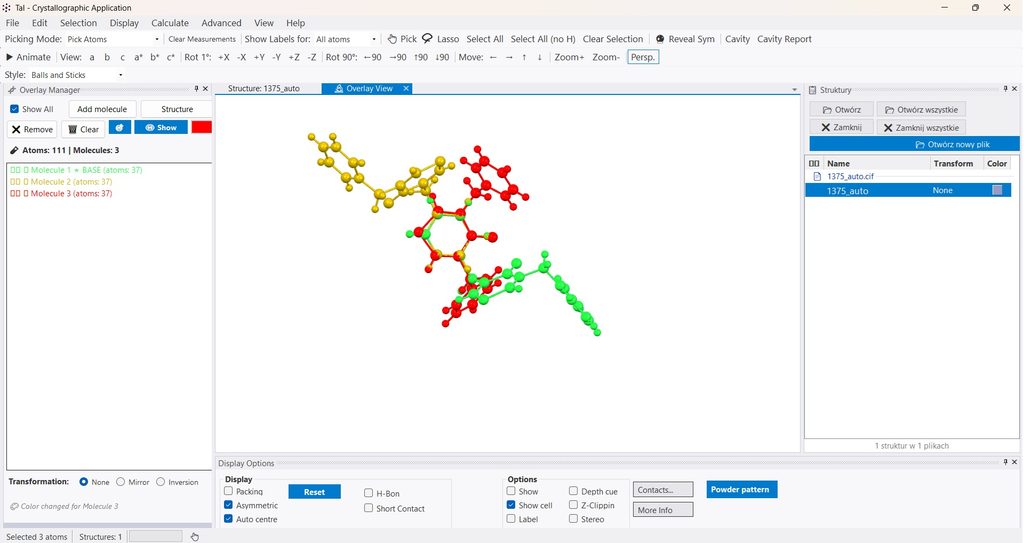
A completely new approach to molecule overlay. More intuitive, flexible and user-friendly.
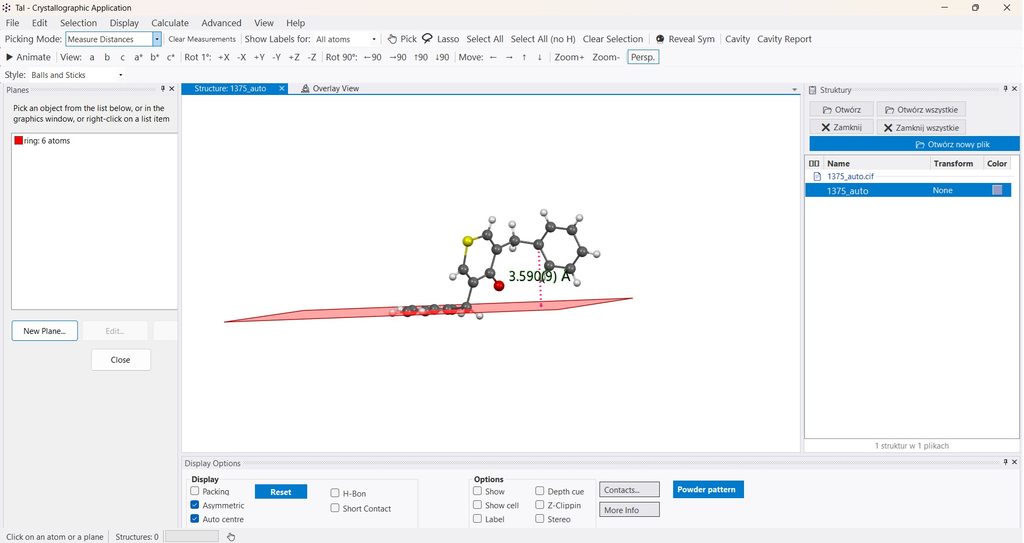
Just a copy of the plane functionality from Mercury (this was already perfect).
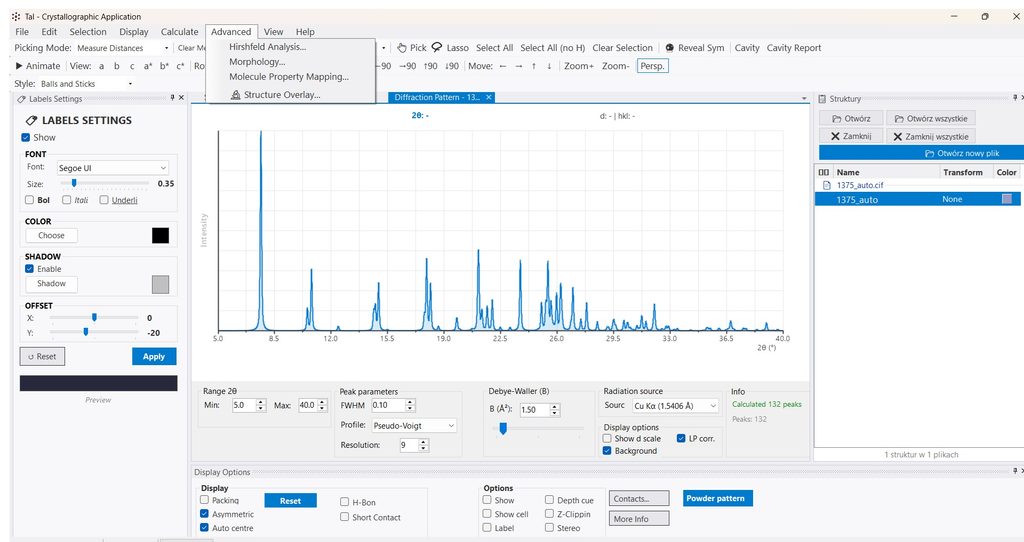
A slightly more advanced powder diffraction pattern generator than the one in Mercury.
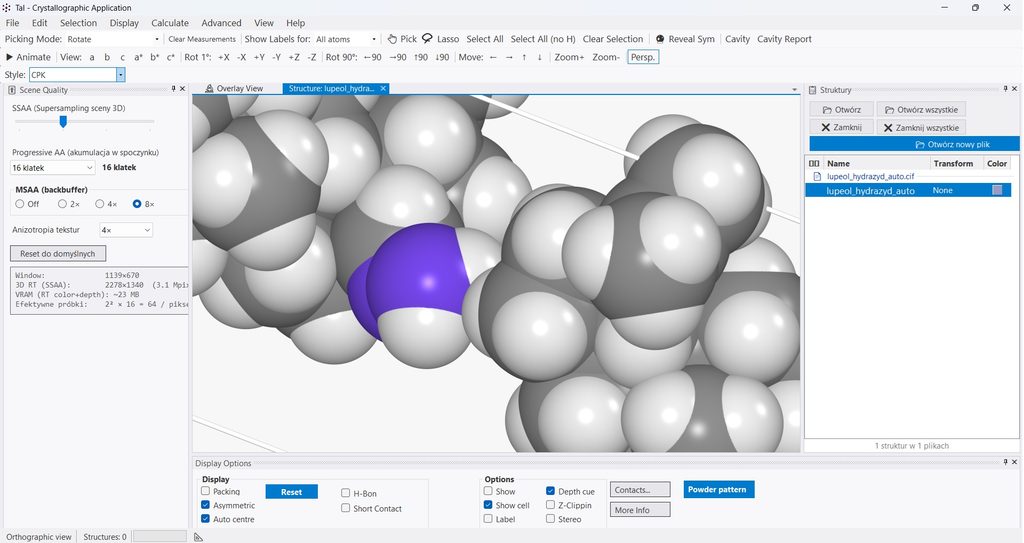
TAL’s Scene Quality panel (from version 1.9), shown alongside a molecular scene rendered with GPU sphere impostors and stacked supersampling. The engine combines SSAA (spatial supersampling) with Progressive AA (temporal accumulation) — two techniques borrowed from modern game rendering — to deliver smooth edges on atom spheres, bonds and cell edges without sacrificing interactivity. Note: the anti-aliasing quality shown here is limited by the low resolution of this web screenshot — the full effect only becomes visible at full screen resolution, when the camera stops and the image settles into a fully anti-aliased result.
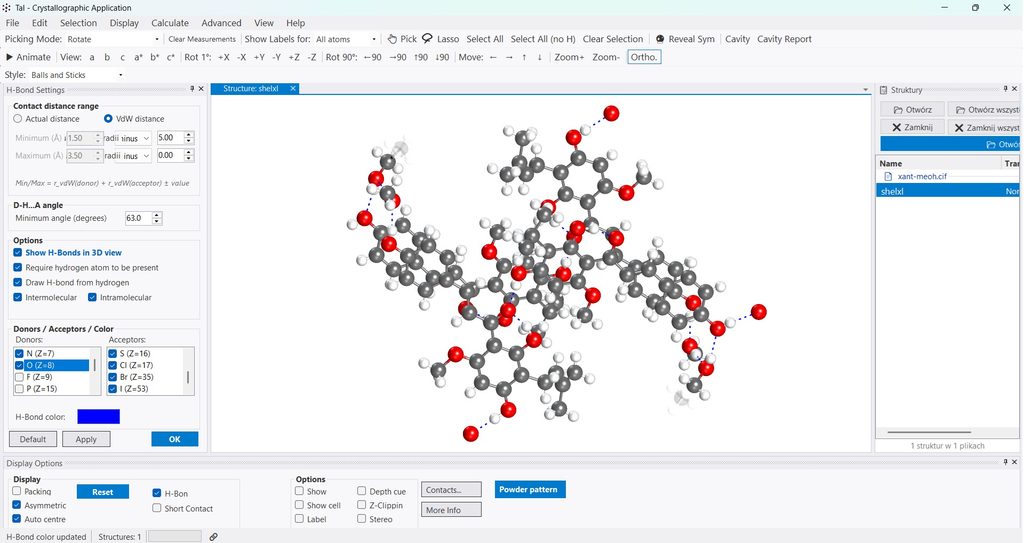
TAL v. 2.2 the graphics is improved in all modes/export/PovRay. Extended H-bond options and more intuitive (only atoms not a groups like in other programs). Corrected small bugs related to selection, lasso, labels. Added new fonts. Improved presentation of disorder (transparency in function of occupancy, bonds to the corect molecular PART). CRYSTAL17 accepts only the standard space-group setting. TAL detects non-standard orientations (P 2₁/n, Pbnm, Cmca, …) and offers to convert the structure to the standard setting (P 2₁/c, Pnma, Cmcm) before export — leaving the original structure untouched (need testing).
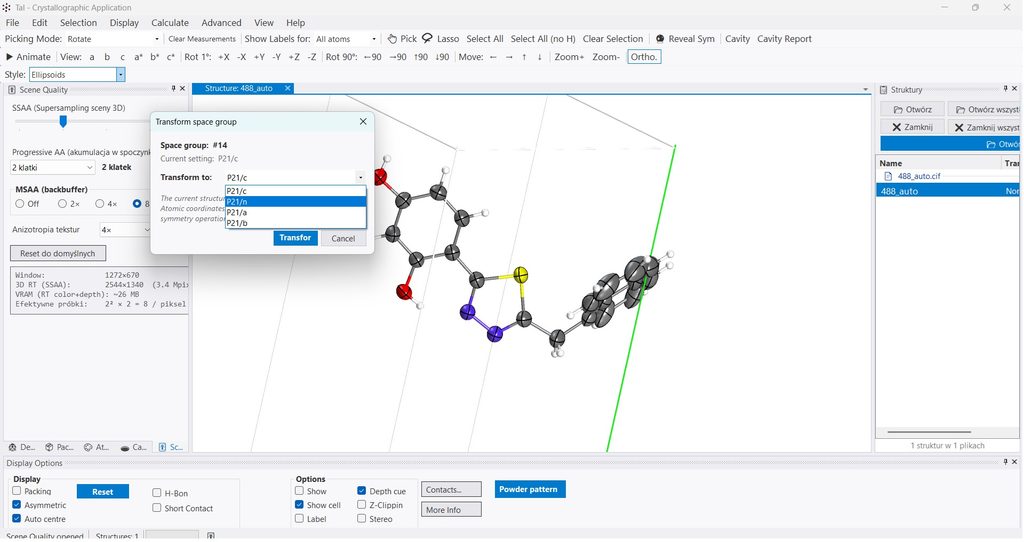
Tal v. 2.3. Space group transformation between subgroup settings (e.g. P2₁/c → P2₁/n), reorganized menu bar, and a corrected CRYSTAL17 .d12 generator with proper symmetry handling.
TAL v.2.4. Improved labels menagement. Improved graphics.
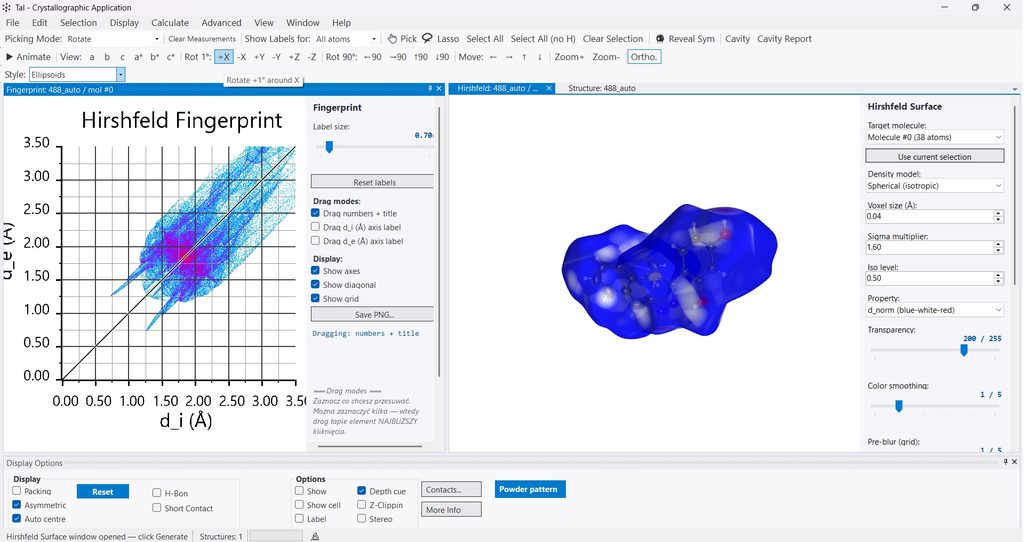
Tal v.2.5. I finally managed to add the Hirshfeld surface generator window. It took a while, but it works! 🙂
Oh, and I also threw in an atom color manager on top — just as a little extra.
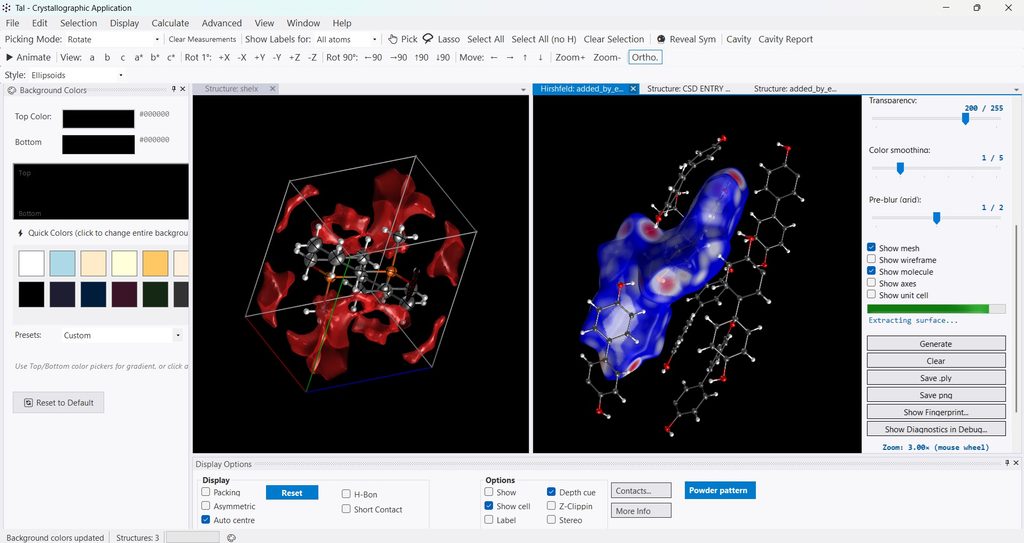
TAL version 2.6 brings a redesigned Hirshfeld surface engine: difficult cases are fully supported, calculations are substantially faster, and the workflow is streamlined. Graphics and the overall GUI have been refined for clearer 3D work. The aim is a smoother analysis experience—without the practical friction often encountered in CrystalExplorer.
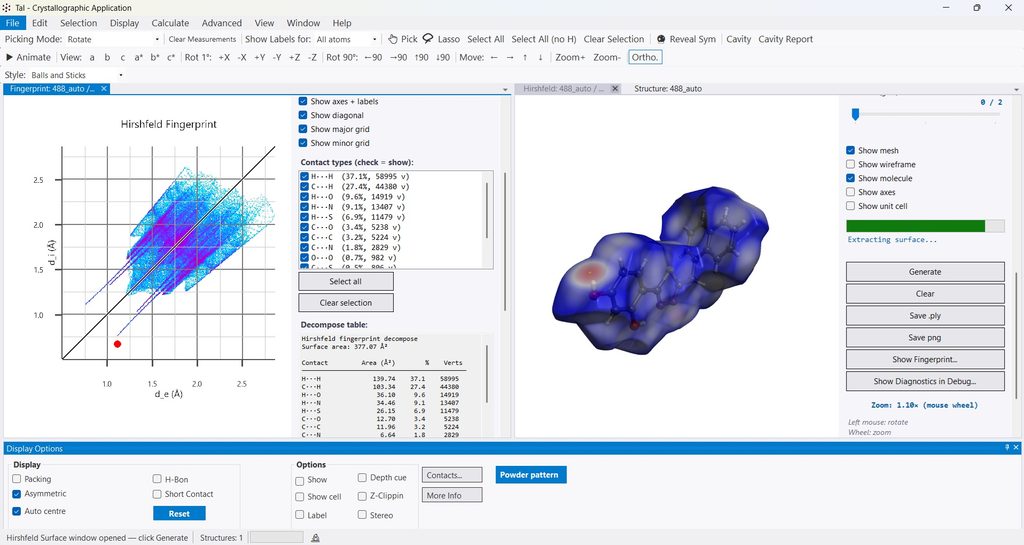
TAL 3.0,3.1 Hirshfeld Surface Analysis added to the Advanced menu for studying intermolecular interactions in molecular crystals. The tool is self-contained — it does not depend on the packing mode or the 3D view state, since it rebuilds its own unit cell from the asymmetric part and symmetry operations. The promolecule density is computed from a Slater-Type Orbital (STO) basis using the analytical Roothaan–Hartree–Fock wave functions of Koga and coworkers: neutral atoms (Int. J. Quantum Chem. 71, 1999, 491), mono-cations (Phys. Rev. A 68, 2003, 032701) and mono-anions (J. Phys. B 29, 1996, 2973). Before generating the surface, Tal silently normalizes all hydrogens to neutron bond lengths (C–H 1.083 Å, N–H 1.009 Å, O–H 0.983 Å, F–H 0.950 Å), because X-ray H positions are biased by 0.10–0.20 Å and would distort both the surface and the contact decomposition. The user can control this manually in the new Calculate → Normalize Hydrogens… window, which lists current bond lengths, the neutron target, the difference, and provides Apply / Reset. The surface can be colored by d_i, d_e, d_norm (red-white-blue), charge (green-yellow-red) or hydrophobicity (blue-white-brown). Recommended publication settings: voxel 0.10 Å, iso level 0.50, grid margin 3–5 Å, STO mode with step = 0.03, exp_cutoff = 10.0, max_rmax = 15.0 in the Advanced panel. Contact types (C···H, O···H, H···H, etc.) can be filtered in the 2D fingerprint window, and the surface exported to PNG.
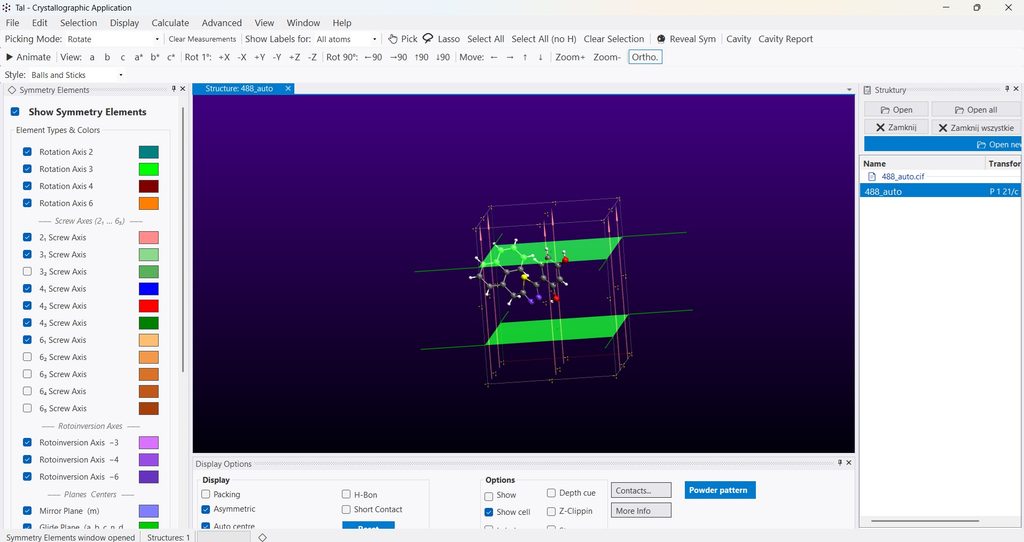
TAL v3.4 — Corrected ellipsoids after space-group transformation
The cavity detector now handles anisotropic displacement parameters (ADPs) correctly across space-group transformations such as P2₁/n ↔ P2₁/c. This was the application’s hardest consistency test: the same crystal, expressed in two equivalent settings of the same space group, must give the same void volume and void surface.
Result: the cavity volume and cavity surface now agree between settings, and the residual error decreases with voxel size — exactly as a correct, numerically convergent implementation should behave. Previously the difference was ≈ 9 % and did not shrink with resolution; it is now below 0.5 % at 0.06 Å resolution and falls further as the voxel size is reduced.
Also in this release: symmetry operations for the loaded crystal are now listed and visualized directly in the 3D view (rotation axes, screw axes, mirror and glide planes, inversion centers, rotoinversion axes), with per-element visibility, per-element colours, and on-the-fly updates.
Just small improvements at the moment.
Summary — main build phase: done
The main phase of code construction is finally wrapped up. Took a bit longer than v.1 — but hey, it was also a fair bit more ambitious. All in all, 2 weeks from v.1 to v.2.5. Still a solid pace, considering this is just an after-hours passion project. 🙂
Validation
TAL has been tested against Mercury and Crystal Explorer as a reference — and for the core crystallographic calculations, it produces matching results.
The mathematics is based on the International Tables for Crystallography (Blue Book) — the standard reference in the field.
Additionally, the implementation was cross-checked using three different AI models in intensive testing. The results were consistent across all of them — a near tie.
In short: TAL doesn’t just look better. It computes correctly.
Next prority: Energy calculations, bonding and interactions, together with their visualisation, are the current priority. In the longer term, however, the plan is to adopt a modern approach based on neural networks for periodic DFT calculations.